
Frost Breathing wheel
Hold G with the Nichirin in hand to pick a Frost Breathing form on a seven-sector wheel; right-click unleashes it. The indicator beside the hotbar tracks the cooldown.
The Frost Breathing wheel is where you pick the 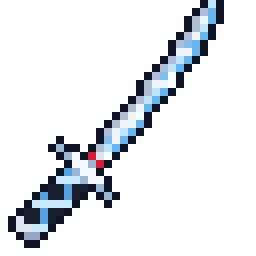 Frost Breathing form you are about to unleash. It opens in the middle of the screen while you hold G with the Nichirin in hand; the chosen form is then unleashed with a right-click, and a small indicator beside the hotbar reminds you which one is ready.
Choosing a form
- Take the Nichirin in hand.
- Hold G: the wheel opens. The game is not paused; a midnight-blue veil falls over the screen and the world stays visible behind it.
- Move the mouse towards a sector. A small dead zone in the centre selects nothing.
- Release G (or click): the highlighted form is selected. Esc closes the wheel without changing anything.
The centre of the wheel shows, for the hovered sector, the form's kanji, its name, its rank ("Ichi no kata"…) and its cooldown if there is one. The wheel closes by itself if you let go of the Nichirin.
The seven sectors
The wheel has seven sectors, the first at the top, going clockwise: the six forms, then the final form.
| Sector | Form | Kanji | State |
|---|---|---|---|
| 1 | Ichi no kata — Shirohara | 白原 | Open |
| 2 | Ni no kata — Tōgami | 凍噛 | Open |
| 3 | San no kata — Museinya | 無星夜 | Open |
| 4 | Shi no kata — Hyōchū | 氷柱 | Open |
| 5 | Go no kata — Suishōkan | 水晶棺 | Open |
| 6 | Roku no kata — Tōsei | 凍世 | Locked |
| 7 | Final Form — Hakka no Togame | 白花の咎め | Locked |
Locked sectors are greyed out, sealed with a padlock of frost and marked "Still beneath the frost". They cannot be selected.
Unleashing the form
Right-click with the Nichirin in hand: the selected form is unleashed. If the blade is sheathed, it begins with the draw. Right-click does nothing else with the Nichirin: it is reserved for the forms.
Nothing happens if the form is still on cooldown or another form is already under way.
The indicator
While the Nichirin is in hand, the selected form is shown to the right of the hotbar: its icon and name. During the cooldown, a dark veil covers the icon and recedes as time passes, and the name dims; it turns ice-blue again when the form is ready. The indicator disappears when the HUD is hidden (F1).
Rebinding the key
The key is called "Frost Breathing wheel" in the AstroStuff category of the game's controls (Options → Controls → Key Binds). It can be replaced by another key or a mouse button.
See also
- Frost Breathing — Frost Breathing
- Controls & settings — all of the mod's controls
See also
Frost Breathing
Shimo no Kokyū, Hiro Aganeya's breathing style: six forms and a final form wielded with the Nichirin, picked on a wheel (G) and unleashed with a right-click. The first five are playable.
Nichirin of the Frost Pillar
Hiro Aganeya's katana: worn sheathed at the hip, drawn in a single cut when you attack, chained in four freezing strikes, sheathed on its own after five seconds.
Ichi no kata — Shirohara
The first form of Frost Breathing: a horizontal cut of deceptive slowness, and you are already seven blocks further on, a veil of frost hanging behind you.
 Ni no kata — Tōgami
The second form: a double thrust, downward then upward. The first breaks shields and cracks the target, the second bursts it from within for twice the damage.
Incantation console
The panel on the left of the screen during an incantation: spoken commands, held elements, local Sacred Power.